
TV Keeps Turning Off and On by Itself: Causes and How to Fix It
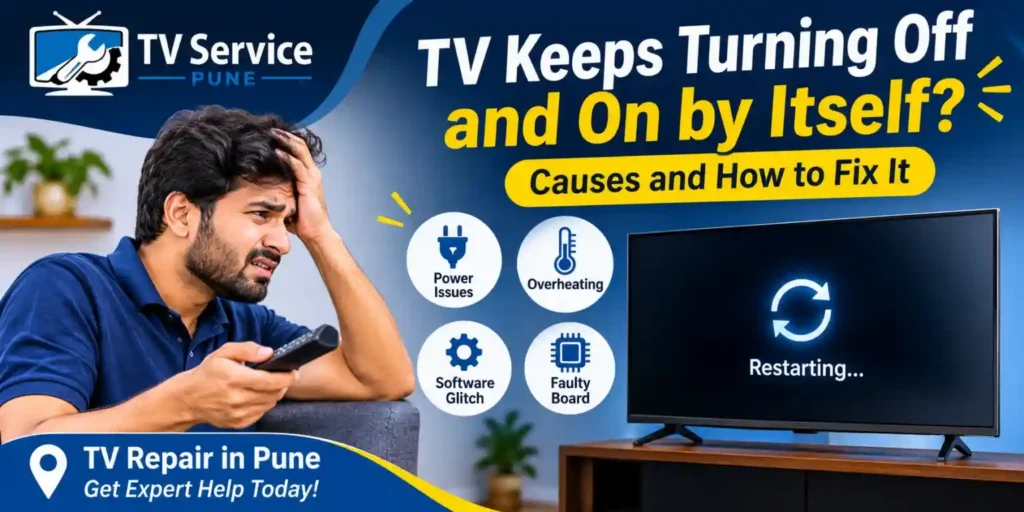
Is your TV keeps turning off and on by itself while you are watching your favourite show? Does your television restart unexpectedly, switch off after a few minutes, or repeatedly display the startup logo? This problem can interrupt your viewing experience and may indicate an issue with the TV’s power supply, software, overheating, or internal components.
A TV keeps restarting problem can occur in LED TVs, Smart TVs, and other television models. Sometimes, simple troubleshooting can resolve the issue. However, repeated automatic shutdowns may require professional inspection. If you need professional TV repair in Pune, identifying the actual cause can help you avoid unnecessary repairs.
If you are experiencing this issue, understanding why your TV switches off by itself can help you decide whether basic troubleshooting is sufficient or professional assistance is required.
Need Professional TV Wall Mount Installation in Pune?
Get your LED or Smart TV securely mounted with professional assistance. Contact TV Service Pune for reliable home installation service.
Why Does My TV Keep Turning Off and On by Itself?
When a TV turns on and off automatically, the reason may be related to its power connection, internal hardware, settings, or software. Identifying the exact cause is important before attempting any repair.
Here are some common reasons behind this problem.
1. Loose Power Cable or Unstable Power Supply
A loose power cable or unstable electrical connection can interrupt the power reaching your television. As a result, the TV may switch off suddenly and turn back on after a few seconds.
Check the following:
- Make sure the power cable is firmly connected to the TV.
- Check whether the wall socket is working properly.
- Look for visible damage to the power cable.
- Avoid using damaged extension boards or loose adapters.
If the TV continues restarting despite a stable power connection, the problem may be inside the television.
2. TV Power Supply Board Problem
The power supply board distributes electricity to different internal components of the television. If this board develops a fault, your TV may receive inconsistent power.
Common signs include:
- TV switches off without warning.
- Television keeps restarting repeatedly.
- TV turns on but shuts down after a few minutes.
- Power indicator light blinks abnormally.
A faulty power supply board may need component-level repair or replacement. It is better to have this checked by an experienced technician rather than opening the TV yourself.
You can also read our guide on TV motherboard and power supply problems to understand how these two internal components differ and how their faults can affect television performance.
3. TV Overheating
Overheating is another possible reason why an LED TV turns off automatically. When internal temperatures become too high, the television may shut down to protect its components.
Overheating can happen because of:
- Blocked ventilation openings.
- Dust accumulation around air vents.
- Poor airflow around the television.
- Continuous operation in a poorly ventilated location.
Keep your TV in a well-ventilated area and make sure its air vents are not blocked. If it repeatedly shuts down because of overheating, professional inspection may be necessary.
Sometimes, other internal hardware problems can also affect television performance. Learn more about common LED TV backlight problems and their warning signs.
4. Automatic Sleep Timer or Power Saving Settings
Sometimes, the issue is not related to hardware at all. Certain television settings can automatically switch off the TV after a selected period.
Check these settings:
- Sleep Timer
- Auto Power Off
- Idle TV Standby
- Energy Saving Mode
- Eco Mode
Open your TV settings and review the power management options. Disable unnecessary automatic shutdown settings and check whether the problem continues.
5. Software or Firmware Issues
Smart TVs use software to manage applications, network connections, picture settings, and other functions. Outdated firmware or temporary software errors can sometimes cause unexpected restarts.
You may notice:
- The TV restarts while opening an application.
- The television freezes before restarting.
- The TV repeatedly displays its brand logo.
- The problem started after a software update.
Check for available firmware updates through your TV’s official settings. If the TV cannot remain switched on long enough to complete an update, seek professional assistance.
6. Faulty Motherboard
The motherboard controls important television functions, including processing, communication between components, and software operation.
A motherboard problem can cause a television to restart repeatedly, experience unexpected shutdowns, freeze, or fail during startup.
Possible warning signs include:
- TV restarts repeatedly during startup.
- The screen freezes before switching off.
- The TV gets stuck on the manufacturer’s logo.
- Buttons and remote commands stop responding.
A technician can inspect the motherboard and determine whether component repair or board replacement is required.
7. Connected HDMI or USB Devices
External devices such as gaming consoles, streaming devices, set-top boxes, and USB drives can sometimes interfere with TV operation.
For example, HDMI-CEC settings may allow connected devices to control the television’s power.
Try disconnecting all external devices temporarily:
- Switch off the television.
- Disconnect HDMI cables and USB devices.
- Turn the TV back on.
- Observe whether it continues restarting.
If the issue stops, reconnect the devices one at a time to identify the possible source.
How to Fix a TV That Keeps Turning Off and On
Before booking a repair service, you can try these basic troubleshooting steps.
Step 1: Restart Your Television
Turn off your TV and unplug it from the power socket. Wait approximately 2–5 minutes before reconnecting it. This can help clear temporary electrical or software glitches.
Step 2: Check the Power Connection
Inspect the power cable and wall socket. Ensure that the connection is secure and that the cable has no visible damage.
Step 3: Review the TV Settings
Check the sleep timer, auto power-off, and energy-saving settings. Disable unnecessary automatic shutdown options.
Step 4: Disconnect External Devices
Remove connected HDMI and USB devices temporarily. Check whether the TV operates normally without them.
Step 5: Check Ventilation
Make sure the television has sufficient space around its ventilation openings. Remove external dust carefully without opening the TV.
Step 6: Check for Software Updates
If your TV remains operational, check its manufacturer’s official instructions for firmware updates.
If none of these steps solves the problem, avoid repeatedly switching the TV on and off. A hardware fault may require professional diagnosis.
When Should You Contact a Professional TV Technician?
Basic troubleshooting is useful for simple problems. However, repeated shutdowns can indicate an internal electrical or hardware issue.
Consider contacting a technician if:
- Your TV keeps restarting even after checking the power connection.
- The television switches off after running for a few minutes.
- The power indicator keeps blinking.
- The TV gets stuck on its startup logo.
- You notice unusual sounds or a burning smell.
- The television does not remain switched on.
Do not attempt to repair the power supply board or motherboard yourself. Television components can retain dangerous electrical charges even after the TV is unplugged.
Looking for LED TV Repair in Pune?
If your television continues restarting despite basic troubleshooting, professional diagnosis can help identify the actual fault.
TVServicePune.com provides LED TV repair in Pune for customers experiencing television power, display, motherboard, and other technical problems.
Whether your LED TV turns off automatically, restarts repeatedly, or switches off unexpectedly, an experienced technician can inspect the television and recommend an appropriate repair solution.
If you are searching for TV repair near me, choosing a technician who can identify the underlying issue is important. Replacing parts without proper diagnosis can lead to unnecessary repair expenses.
Our service support is suitable for customers looking for:
- LED TV repair in Pune
- Smart TV repair assistance
- TV power supply problem diagnosis
- Motherboard inspection and repair
- An experienced LED TV technician in Pune
Before deciding on a repair, understanding the possible expenses can also help. Read our guide to LED TV repair cost in Pune to learn more about common television repair expenses.
Contact TVServicePune.com to discuss your television problem and arrange a repair inspection.
TV SERVICE PUNE
Looking for TV Repair in Your Area?
Explore our location-specific TV repair services across Pune. Choose your area to learn more about home TV repair options.
Final Thoughts
A TV that keeps turning off and on by itself can have several possible causes, ranging from simple power connection issues to more complicated motherboard or power supply faults.
Start with basic troubleshooting, such as checking the power cable, reviewing automatic shutdown settings, and disconnecting external devices. If your television continues restarting, professional diagnosis can help prevent further damage and unnecessary part replacements.
For reliable TV repair in Pune and LED TV repair in Pune, contact TVServicePune.com and get your television problem inspected by a technician.
Frequently Asked Questions
1. Why does my TV keep turning off and on by itself?
Your TV may keep turning off and on because of a loose power connection, faulty power supply board, overheating, software errors, or motherboard problems. Check the basic power connections and settings first.
2. Why does my LED TV turn off automatically after a few minutes?
An LED TV may turn off automatically because of overheating, unstable power delivery, faulty internal components, or automatic power-saving settings. If the problem continues, professional inspection is recommended.
3. Why does my Smart TV keep restarting?
A Smart TV may keep restarting because of outdated firmware, software glitches, motherboard faults, or power supply problems. Disconnecting external devices and checking for software updates may help identify the issue.
4. Can a faulty power supply board cause a TV to restart?
Yes. A faulty power supply board can interrupt the stable delivery of electricity to internal components. This may cause unexpected shutdowns, repeated restarts, or startup problems.
5. Is it safe to use a TV that keeps switching off by itself?
Repeated unexpected shutdowns should not be ignored. If you notice a burning smell, unusual noises, or excessive heat, unplug the television if it is safe to do so and arrange professional inspection.
6. Where can I find an LED TV technician in Pune?
If you need an LED TV technician in Pune, you can contact TVServicePune.com for assistance with television power problems, unexpected shutdowns, and other repair requirements.