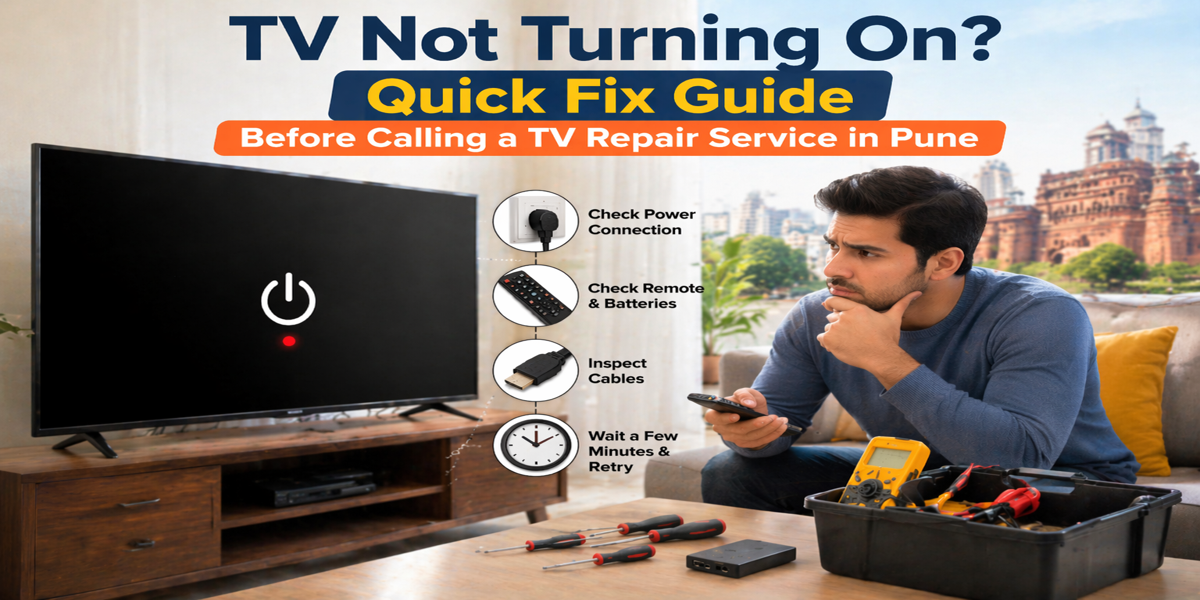
We’ve all had that moment of pure annoyance. You grab the remote, press the power button, and… nothing. The screen stays as black as a rainy night in Lonavala. Before you start stressing about the cost of a new 4K set or rushing to find a tv repair in pune, take a deep breath.
Often, a TV that refuses to “wake up” isn’t actually dead. It could be a simple temporary glitch, a confused power supply, or even just a moody remote. Modern Smart TVs are essentially computers with screens, and just like your laptop, they sometimes need a “brain reset” to function properly.
Follow this step-by-step guide to troubleshoot your television at home. You might just save yourself a service fee.
1. The Magic “Hard Power Reset” (Cold Boot)
This is the “Have you tried turning it off and on again?” method, but on steroids. A hard reset drains the static electricity stored in your TV’s capacitors, which often clears firmware glitches.
- Step A: Unplug the TV directly from the wall outlet. Do not just turn off the switch or unplug it from the power strip.
- Step B: Be patient. Wait at least 60 seconds. Some experts even suggest waiting 15–30 minutes to ensure every bit of power is gone.
- Step C: While the TV is still unplugged, find the physical power button on the TV frame (usually on the bottom, side, or back). Press and hold it down for 30 to 60 seconds. This forces the TV to use up any leftover energy.
- Step D: Plug the TV directly into a wall outlet you know is working. Skip the surge protector for this test.
- Step E: Try turning it on.
2. Rule Out the Remote Control
It sounds silly, but a huge number of service calls for a tv repair in pune end up being nothing more than dead AAA batteries.
Check the standby light on your TV (the little red or white LED at the bottom). If it doesn’t blink when you press the remote, the remote might be the culprit. Try turning the TV on using the physical button on the TV itself. If it turns on, you just need new batteries or a new remote—not a technician.
And hey, if your remote is acting up but the TV is fine, you might find some extra tips in our guide for when your tv remote not working.
3. The “Standby Light” Decoder Ring
That tiny LED light at the bottom of your screen is actually talking to you. Here is how to translate what it’s saying:
- No Light at All: This usually means the TV isn’t getting any power. Check the power cable at both ends (wall and TV). It might have wiggled loose during cleaning.
- Solid Light: The TV has power but is stuck in “Standby Mode.” A hard reset (Step 1) almost always fixes this.
- Blinking Light: This is usually an error code. For Sony TV repair needs, count the number of blinks. It tells the technician exactly which board is failing. However, try the hard reset first; sometimes it clears the error loop.
4. Brand-Specific Quirks (Samsung, Sony, Vizio)
Different brands have different “personalities” when they fail:
- Samsung: If your model uses a “One Connect” box, check the thin invisible cable. If it’s kinked or loose, the TV won’t get power or a signal.
- Sony: If you see a blinking red light, it’s a hardware warning. If a hard reset doesn’t work, you likely have a power board issue.
- Vizio/Hisense: If the logo appears for a second and then vanishes, it’s often a firmware crash or a failing backlight.
5. When to Suspect Deeper Hardware Issues
If you’ve tried the resets and checked the plugs, but the screen is still dark, it might be time to call a professional LED TV repair in Pune. Here are three signs that the problem is internal:
- The Flashlight Test: If you have sound but no picture, turn on your phone’s flashlight and hold it very close to the screen. If you see a faint image of the menu or a show, your backlight has failed.
- The Clicking Sound: If your TV makes a repetitive “clicking” noise when you try to turn it on, a capacitor on the power supply board has likely blown. This is a common and affordable fix for a tv repair in pune.
- The Boot Loop: If the TV keeps restarting or gets stuck on the brand logo, the mainboard or firmware is corrupted.
Choosing the Right TV Repair Service in Pune Near Me
If DIY fails, don’t just hand your TV to any local shop. In 2026, Smart TVs require specialized tools. You want a service that offers:
- Doorstep TV repair service in Pune so you don’t have to transport a fragile screen.
- Genuine parts for brands like Samsung, Sony, and LG.
- Transparent pricing without hidden “inspection” surprises.
It’s also smart to know the led tv backlight repair cost beforehand so you can decide if the repair is worth it or if you should buy a new set. Often, catching the problem early makes the difference. If you’ve noticed weird flickering lately, check out our list ofled tv needs repair signs to avoid a total blackout.
Final Verdict
Don’t panic! Most “dead” TVs in Pune are just victims of a minor software hang or a loose plug. Spend 10 minutes going through these quick fixes. If the screen is still black after a 30-minute cold boot and a battery swap, then it’s time to call the experts.
Still stuck with a black screen? Don’t let a “jugaad” repairman ruin your TV. Contact TV Service Pune for a professional, reliable tv repair in pune today and get back to your favorite shows by tonight!